Social media scheduling & publishing
Schedule and publish to 16+ social channels from one place
RepeatPost is the AI social media management platform that turns one idea into posts ready for every channel you run. Social media scheduling shouldn't eat your morning or sprawl across ten open tabs. Write a post once, let the formatting adapt to each platform, then queue everything from a single calendar. Plan the week, batch a whole month, and keep your accounts active while you focus on the work that grows your brand.
Integrated with


One post, every channel, formatted for each
Publishing to 16+ channels should cost one click, not sixteen. RepeatPost reshapes the caption, hashtags and media for each platform, then sends it on the schedule you set.
Publish everywhere at once
Send one post to all 16+ channels in a single click. RepeatPost reshapes the caption, hashtags, and media to fit each platform on its own.
Posting queues on autopilot
Build a posting queue for each channel once. Drop new content in and RepeatPost slots it into the next open time for you.
Bulk schedule by CSV
Upload a CSV and queue months of posts in one pass. Ideal for content batches, product launches, and seasonal campaigns.
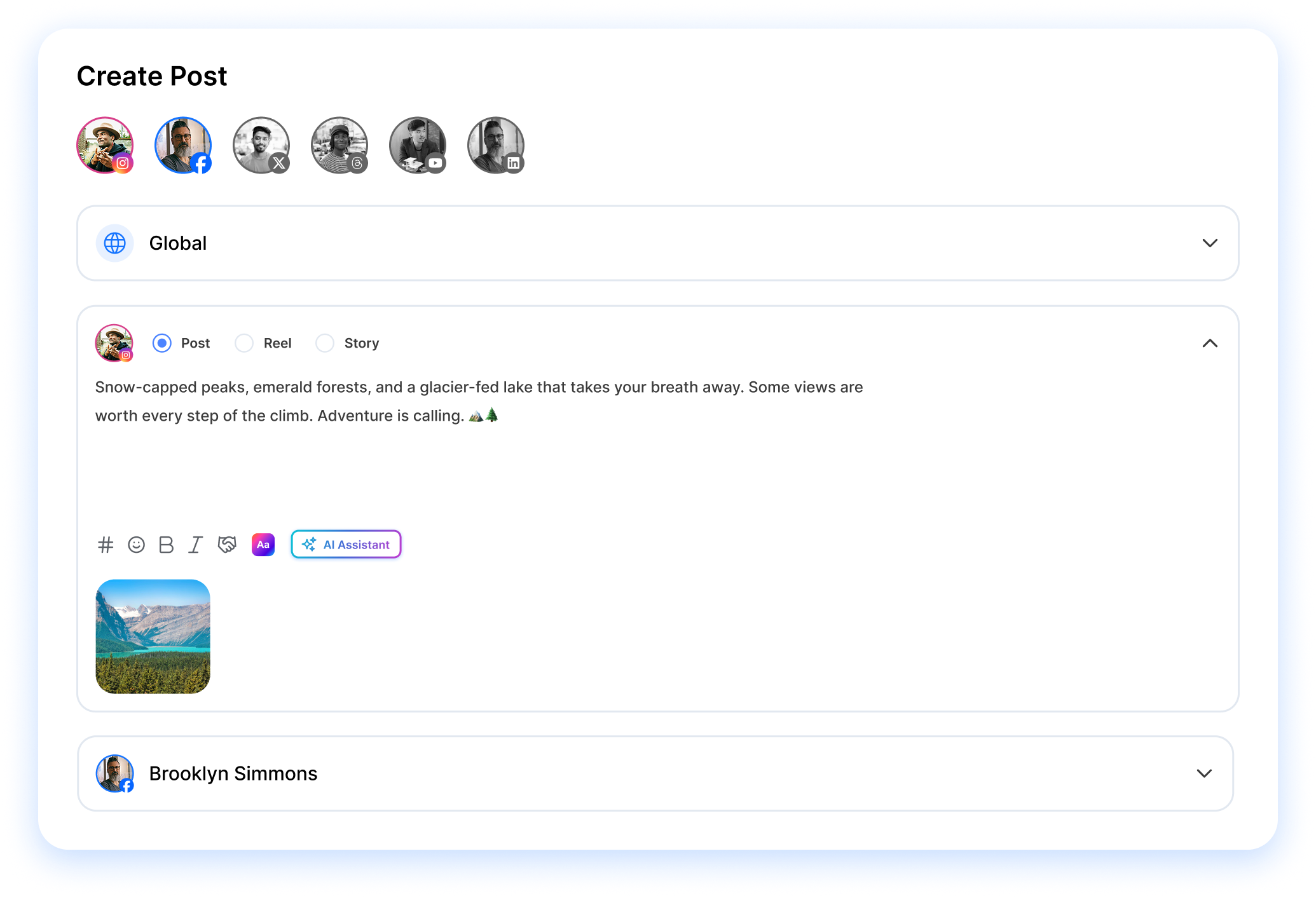

Composer
Shape one post to fit every social channel
The composer writes one post and tailors it for each network before it ships. Pull in your media, adjust the caption per platform, and add the hashtags that match where the post lands. Want the words written for you first? RepeatPost's AI content tools draft captions and hooks you can tweak in seconds. Then schedule your way: a single send, a recurring slot, or an RSS feed and bulk upload that keep the queue full while your team curates and approves together.
- Per platform formatting
- Side by side preview
- Team drafts and approvals
Formatting built for each platform
Character limits, hashtags, and media sizes adjust to every channel on their own, so nothing breaks when the post goes live.
Side by side channel preview
See how the caption, image, and link preview render on each platform before you schedule, not after.
Drafts your whole team can shape
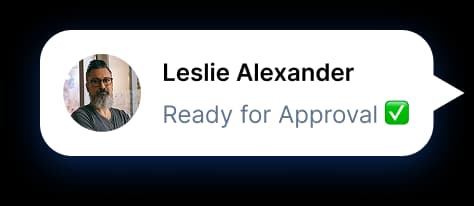
Share a draft, collect comments, and get sign off from teammates without leaving the composer.
Media library
Every photo, video, and asset in one library
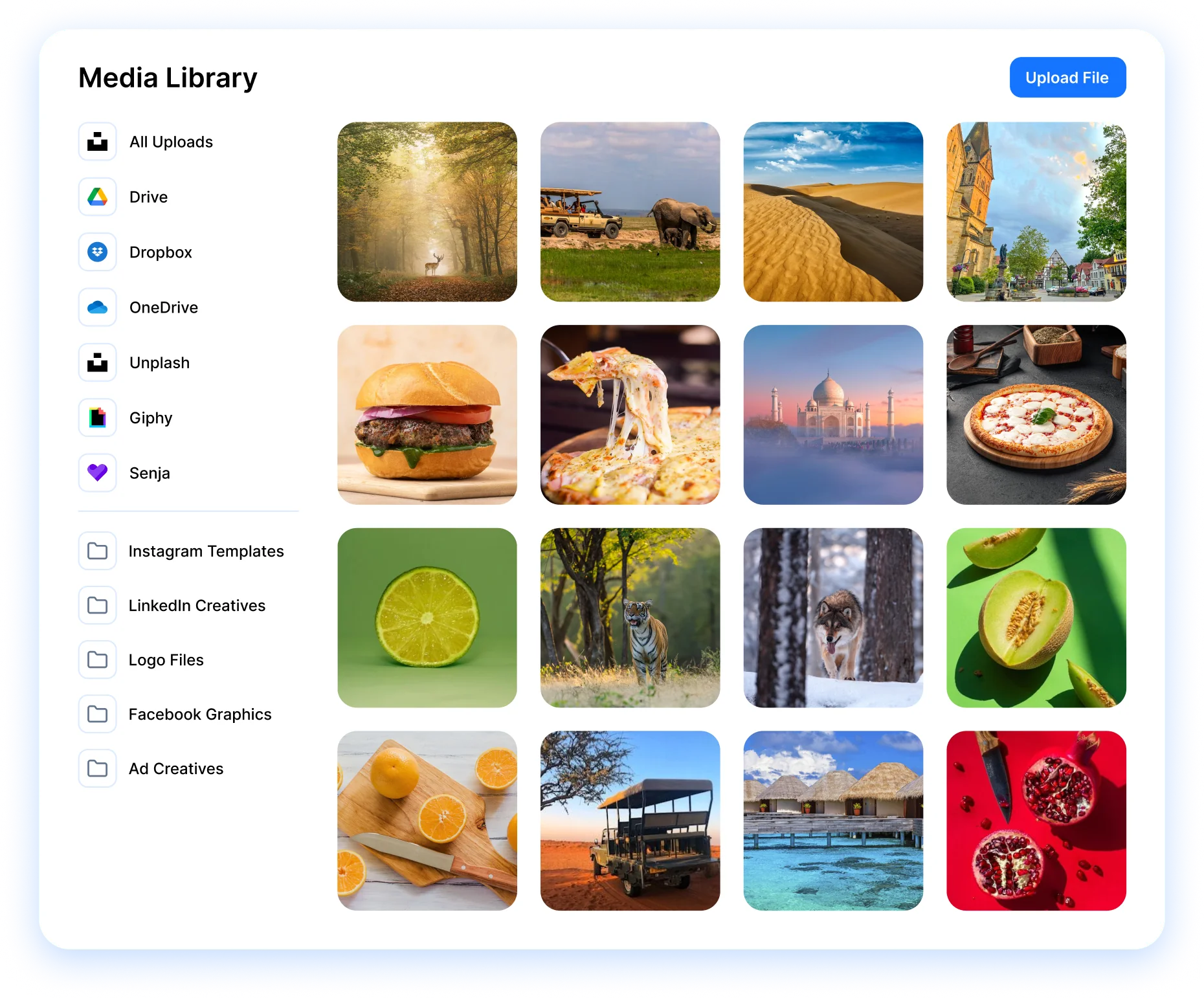
Your media library keeps every asset in one searchable place. Import straight from Google Drive, Dropbox, and Canva, or pull free stock from Pixabay, Flickr, Imgur, and Giphy without leaving the post you're building. Everything you upload gets indexed the moment it lands, so the right photo is a quick search away. No more digging through folders or pinging a teammate for the file you saw last week.
Explore Media LibraryConnect Drive, Dropbox, and Canva
Link your cloud accounts and pull existing files into RepeatPost without downloading or uploading a thing.
Folders, search, and permissions
Sort assets into folders, find any file with quick search, and set who on your team can view or edit.
Free stock built in
Search free images and GIFs from Pixabay, Flickr, Imgur, and Giphy, then drop them into a post in one tap.
Bulk archive and cleanup
Select many files at once to archive or delete them, so your library stays tidy as it grows.
Team workflow
Built for the way teams hand off content
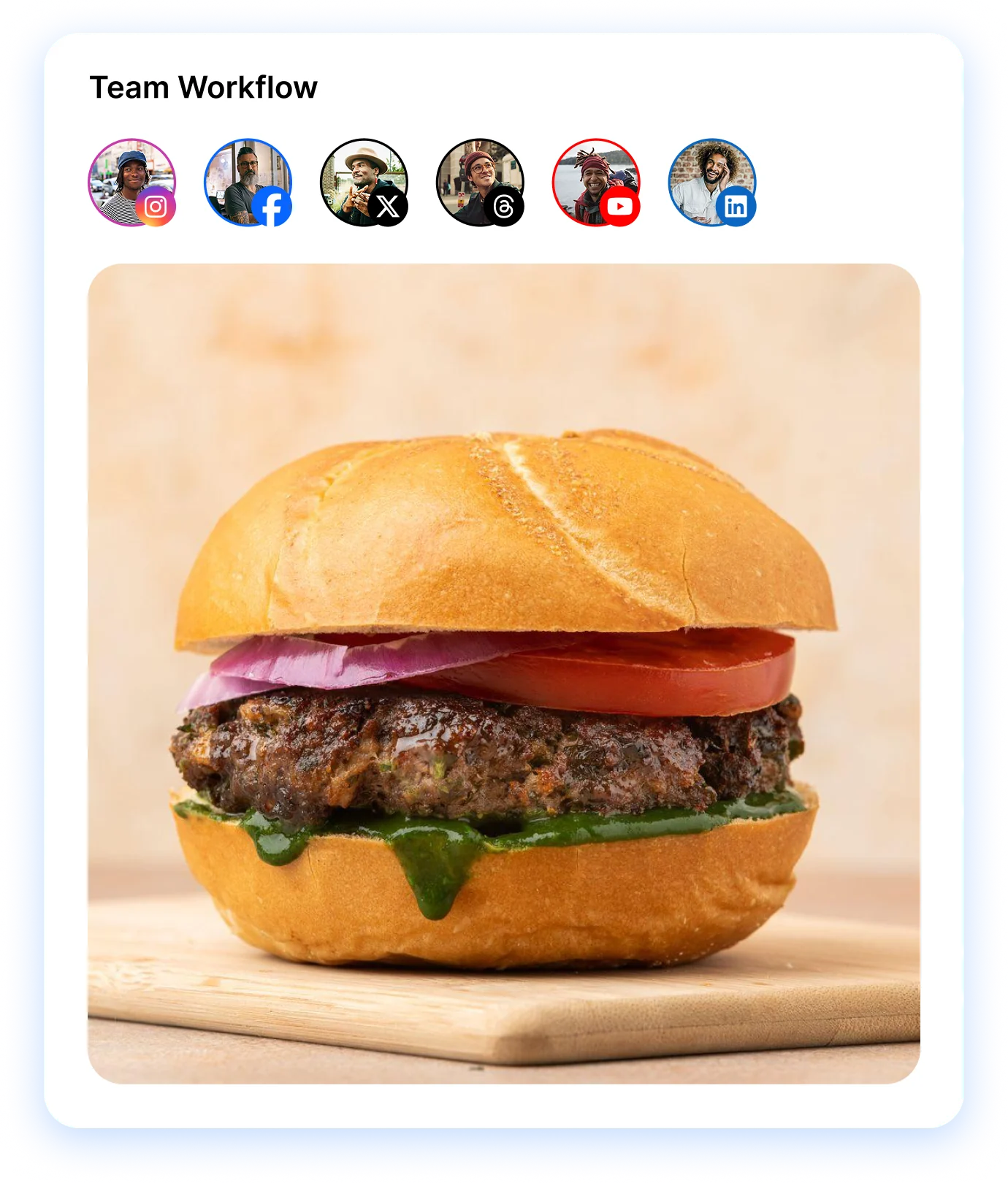
Handoffs stop being the bottleneck when every asset lives in one shared space. Your designer drops files in the library, your social manager grabs them an hour later, and a client review never stalls on a missing image. Permissions stay tight, search stays quick, and the right photo for any post is one click away. Auto tagging labels everything as it arrives, so nobody wastes a morning renaming files.
- Drag and drop uploads
- Shared team folders
- Auto tagging
Drag and drop uploads
Pull files straight into your library. No extra steps, no popups, no clicks beyond the drag itself.
Shared team folders
Give everyone access to the same folders, so the whole team works from one set of approved assets.
Auto tagging that finds files fast
RepeatPost tags and sorts new media on upload, so the file you need surfaces in seconds, not minutes.
Automation
Never run dry. Put your channels on autopilot
Automation keeps your channels active even on the weeks you can't. Connect an RSS feed and new blog posts queue themselves, set evergreen campaigns to recycle your best content, or upload a CSV to load months of posts in minutes. Once it's all running, your social media analytics show which automated posts pulled their weight, so you can drop what flops and repeat what lands.
- RSS auto posting
- Evergreen campaigns
- CSV bulk upload
RSS feeds that post themselves
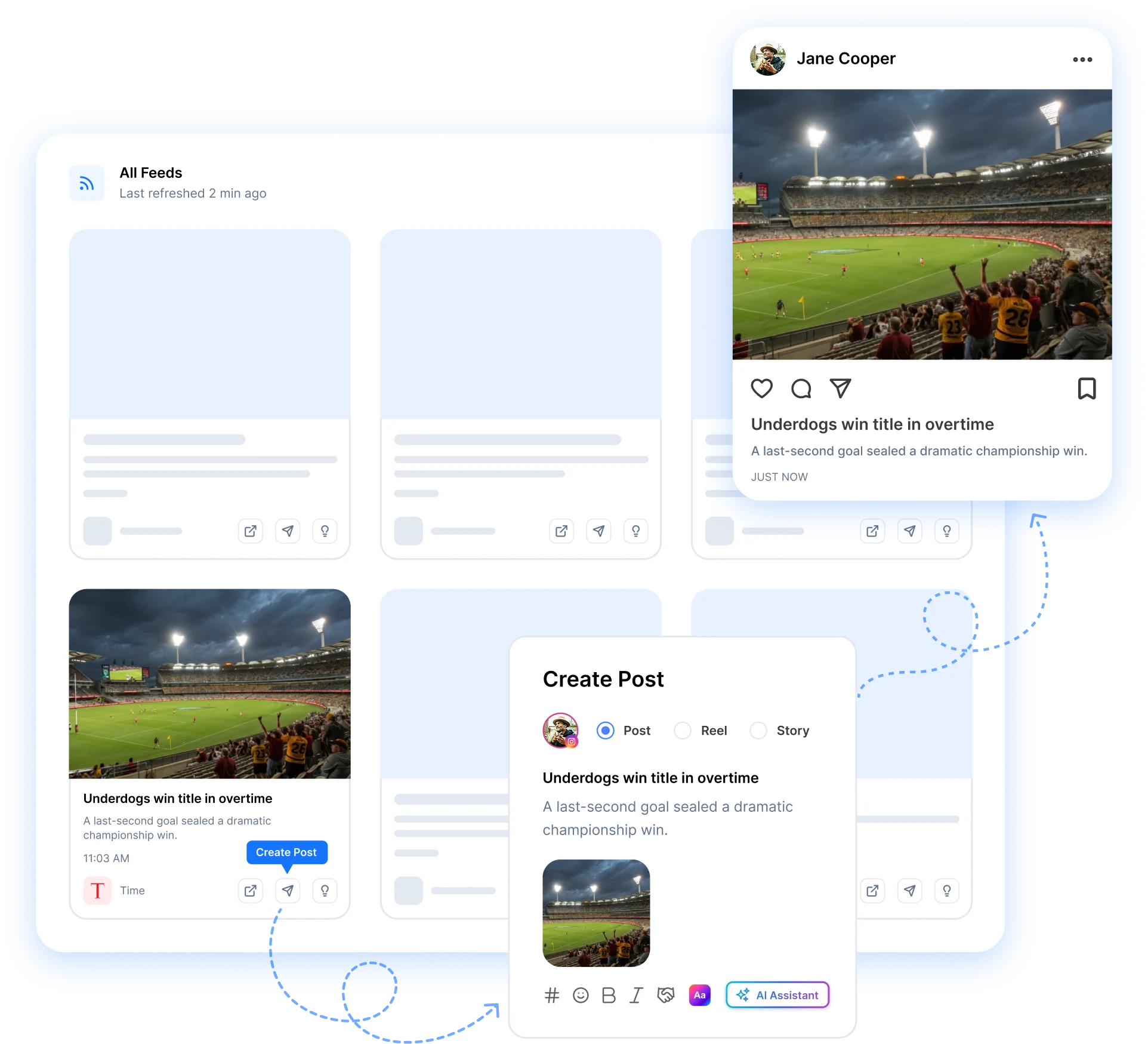
Connect your blog or any source. Each new article posts to the channels you pick, formatted and ready to go.
Evergreen recycling
Send your best posts back into rotation so they keep earning reach month after month, with zero extra work.
CSV bulk upload
Drop in a spreadsheet and schedule hundreds of posts at once. Built for launches, campaigns, and big content batches.
MORE SCHEDULING FEATURES
Scheduling extras that save you hours each week
The composer covers the post. These six tools cover everything around it, from timing to client sign off, and they all live in the same workspace you already use.
Best time to post
Skip guessing at time slots. AI studies when each audience scrolls and drops every queued post into the window that performs.
Learn MoreCalendar planner
See your whole content plan on a drag and drop calendar across every channel.
Learn MoreLive post preview
Check exactly how a post renders on each network before an approver ever sees it, captions and crops included.
Learn MoreFirst comment
Reserve your first comment to add context on Facebook, Instagram, LinkedIn, and YouTube.
Learn MoreMobile app
Manage posts, check analytics, and reply to comments from anywhere. Native iOS and Android apps.
Learn MoreAFTER YOU SCHEDULE
Scheduling is step one. Here's the rest of the loop
Posting on a schedule is just the start. RepeatPost runs the other four stages too: writing the content, measuring how it performed, answering every reply, and finding what to post next.
Analyze
One dashboard ranks every post by reach, engagement, and growth across all the channels you scheduled to.
See Analytics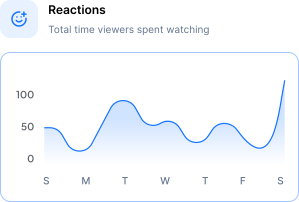
Engage
Every comment and DM from every channel lands in a single inbox, so you reply to all of it without jumping between apps.
Open Inbox
Explore
AI tracks trending topics, hashtags, and competitor moves in your niche, so your next post idea is waiting when you need it.
Find Ideas
Automation
Schedule months of social posts across platforms with one CSV upload.
Learn More
BY THE NUMBERS
Built to handle your entire social media workflow
16+
Channels Supported
Publish to Facebook, Instagram, X, LinkedIn, TikTok, YouTube, and 10 more.
100+
Free Tools
Bio generators, caption writers, hashtag finders, video downloaders, and more.
AI-First
Platform
AI built into every workflow: content creation, scheduling, analytics, and engagement.
3
Apps
Web app, iOS, and Android. Manage your social presence from anywhere.
How teams picture using RepeatPost
“Honestly, the calendar is what sold me. I could see every channel in one view and spot the week we'd gone quiet. Before this I was juggling three spreadsheets and a Slack thread. Now I plan the month on a Monday morning and I'm done by half ten.”
Hannah Whitfield
Marketing Manager
United KingdomJun 14, 2026“We run social for eleven clients and keeping them separate used to be a genuine anxiety of mine. Workspaces fixed that. Each client sits in their own space, approvals route to the right person, and I've stopped worrying that someone's going to push a dental practice promo to a restaurant account at 6am.”
Marcus Reed
Agency Owner
United StatesJun 29, 2026“I batch a fortnight of content on a Sunday arvo and then I don't think about it again. Reckon it's saved me a solid day a week. Only gripe is the mobile app still feels a step behind the web version, so I do the actual planning on my laptop. Everything else is spot on.”
Chloe Baxter
Content Creator
AustraliaJul 11, 2026“I'm handling social for four small brands and writing captions was eating my whole morning. The AI drafts are actually quite usable now. I still rewrite maybe every third one to sound like the client, but starting from something beats staring at a blank box. The hashtag tool alone I'm using daily.”
Ananya Raghavan
Freelance Social Media Manager
IndiaJul 30, 2026“I sell fabrics and my customers find me on Instagram mostly. Posting used to be whenever I remembered, which was maybe twice a week. Now I sit down every Sunday evening, load up two weeks, and it goes out on its own. Sales have followed. I'd like to see WhatsApp added properly, that's my one ask.”
Chidinma Eze
Small Business Owner
NigeriaAug 18, 2026“Our team is five people and we were losing posts in Slack threads. Someone would approve something, someone else would tweak it, and nobody knew which version went live. The approval flow sorted that in a week. Fair play, it's the least glamorous feature on the site and it's the one I'd miss most.”
Niamh Gallagher
Social Media Lead
IrelandSep 02, 2026FAQs
Frequently Asked
Questions
Social media scheduling in RepeatPost takes three steps: write the post once, choose which channels it goes to, and set a date and time. We format it for each platform automatically. Hit Schedule and it publishes everywhere you picked at the moment you set. Edit or move any post right up until it goes live.
Yes. Pick any mix of the 16+ supported channels, like Instagram, Facebook, X, LinkedIn, TikTok, YouTube, Pinterest, and Threads, then publish to all of them from one post. RepeatPost adjusts the format, character limits, and image sizes for each platform on its own. One write, every channel, no extra clicks.
Upload a CSV that holds your captions, media links, and post times, and RepeatPost queues every row onto your calendar at once. It checks the file for errors and shows a preview first, so nothing slips through wrong. Bulk scheduling like this suits content batches, evergreen sets, and seasonal launches.
RSS feed auto posting turns new blog or news articles into social posts without any manual work. Connect a feed, set a template, and every fresh item gets queued to the channels you choose. You decide which feeds map to which accounts and how often they post, then leave it running.
Yes. The composer puts a live preview of every connected channel side by side as you write. You see how the caption, image, hashtags, and link preview will actually render on Instagram, LinkedIn, X, and the rest before you schedule. Spot a cropped photo or cut caption and fix it in seconds.
If a platform rejects a post, RepeatPost catches it and flags the post in your dashboard with the exact error, plus an email alert so you notice fast. Most issues clear with a one click retry. The rest of your scheduled posts keep going as planned, so one failure never stalls the queue.
Ready to schedule a week of posts in one sitting?
Create your free account and start managing 16+ channels with AI in minutes.
Get started for freeFree plan to start
No Credit Card Required
Cancel anytime