X (Twitter) screenshots
Free X (Twitter) Screenshot Generator
A phone screenshot of a post brings the whole interface with it: your battery, a half visible reply, the compose bar. Paste the post URL instead and get just the post, rendered cleanly at a size that survives compression.
Renders from the URL, so no interface clutter
Handles whole threads, not just single posts
Free to use, no account needed
These tools stay free because people chip in. Buy us a coffee ☕
Something broken, or a tool you wish we had? Tell us what you need


More free tools
People who use the Tweet Screenshot Generator also reach for these
Every tool here is free, runs in your browser and needs no account.
Inside RepeatPost
What you get when the free tool is not enough
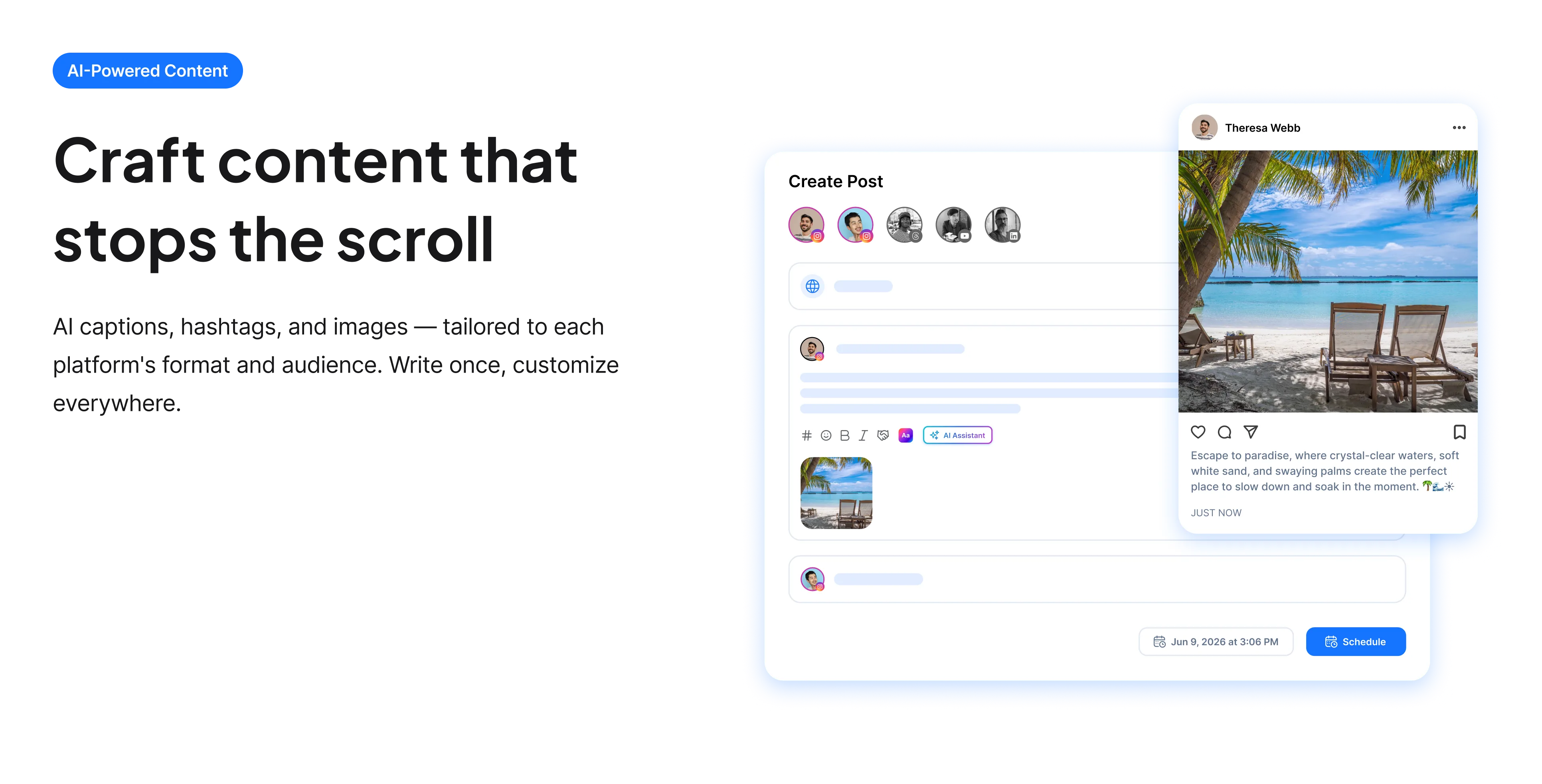
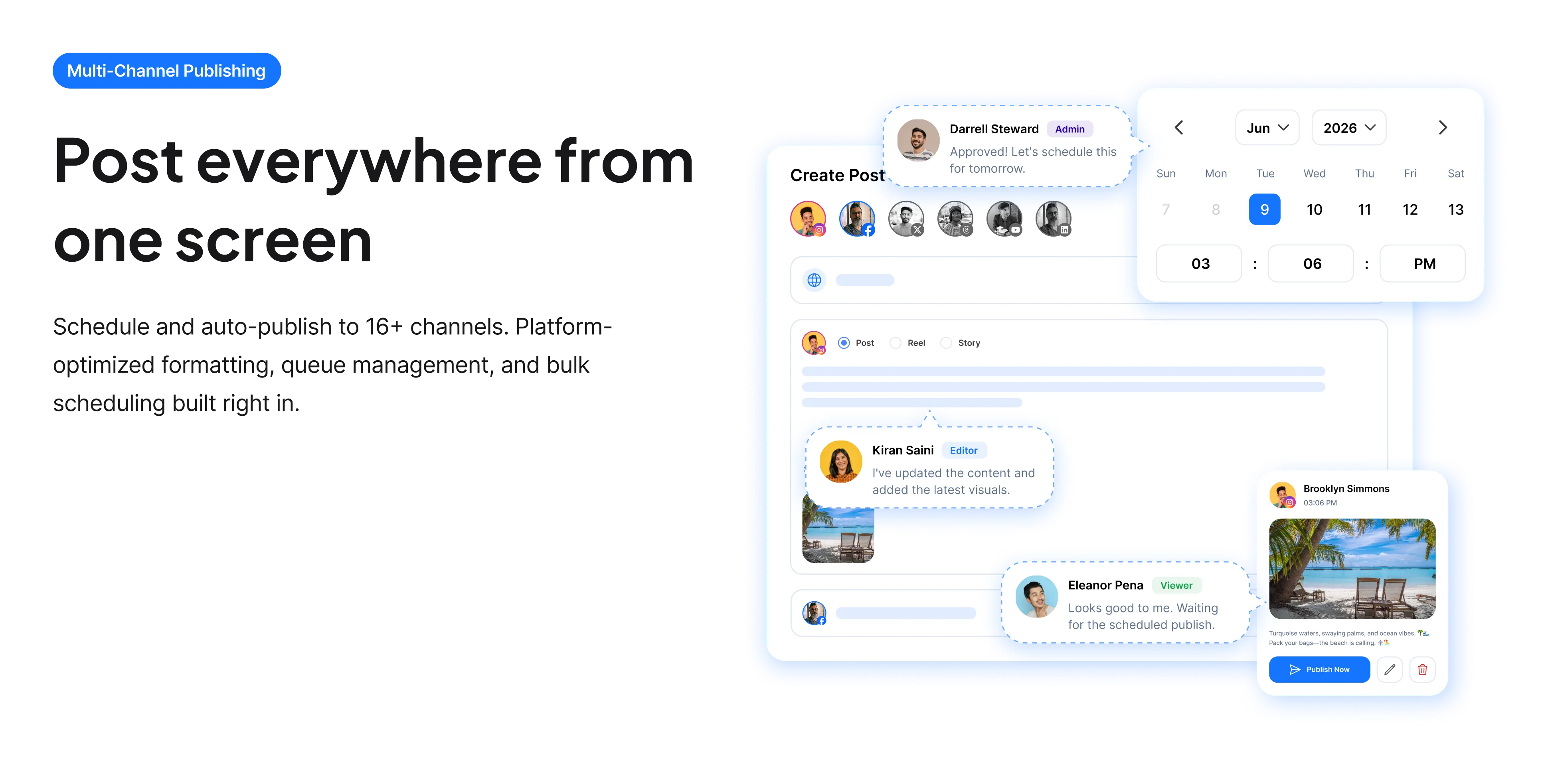
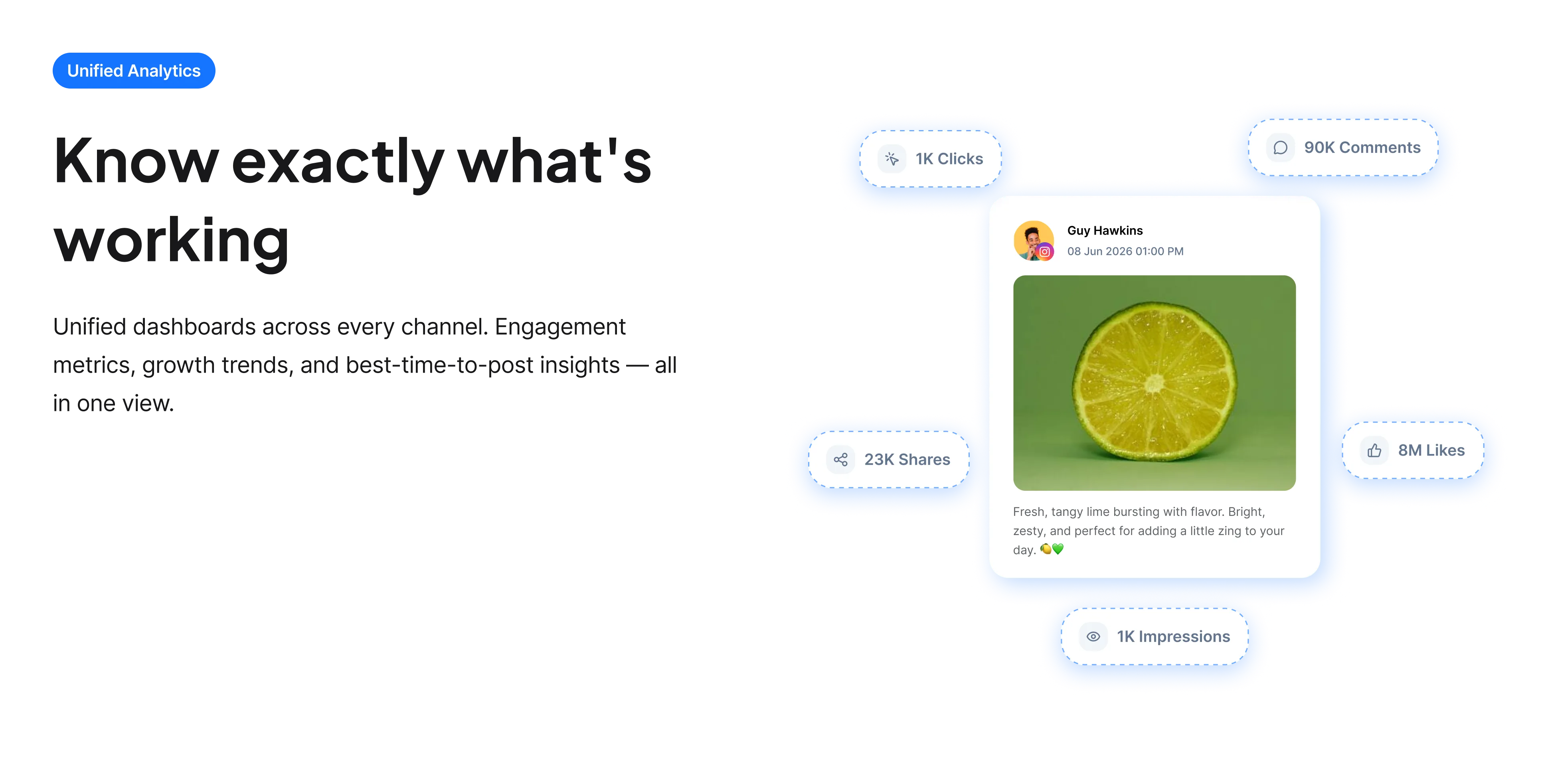
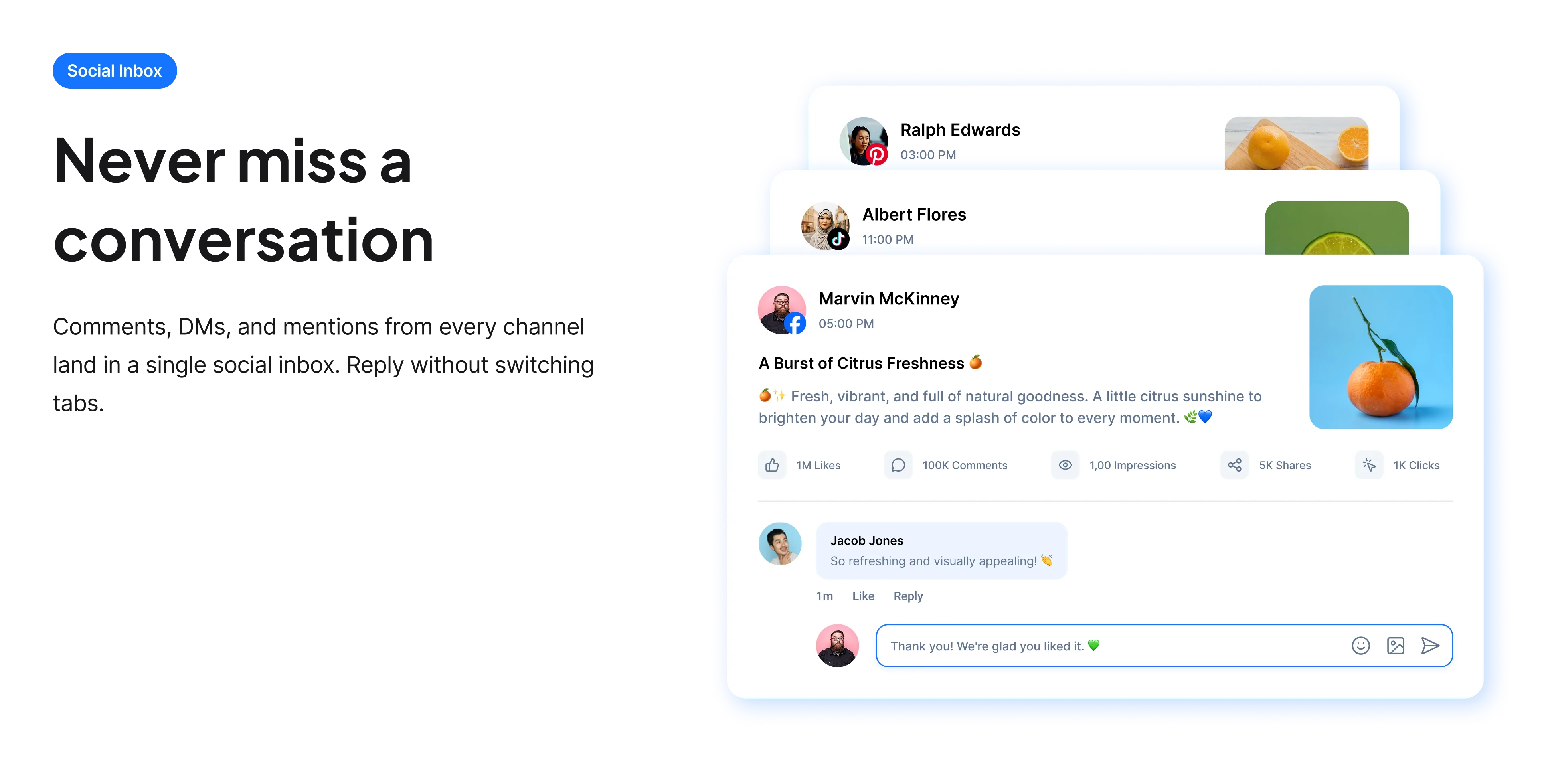
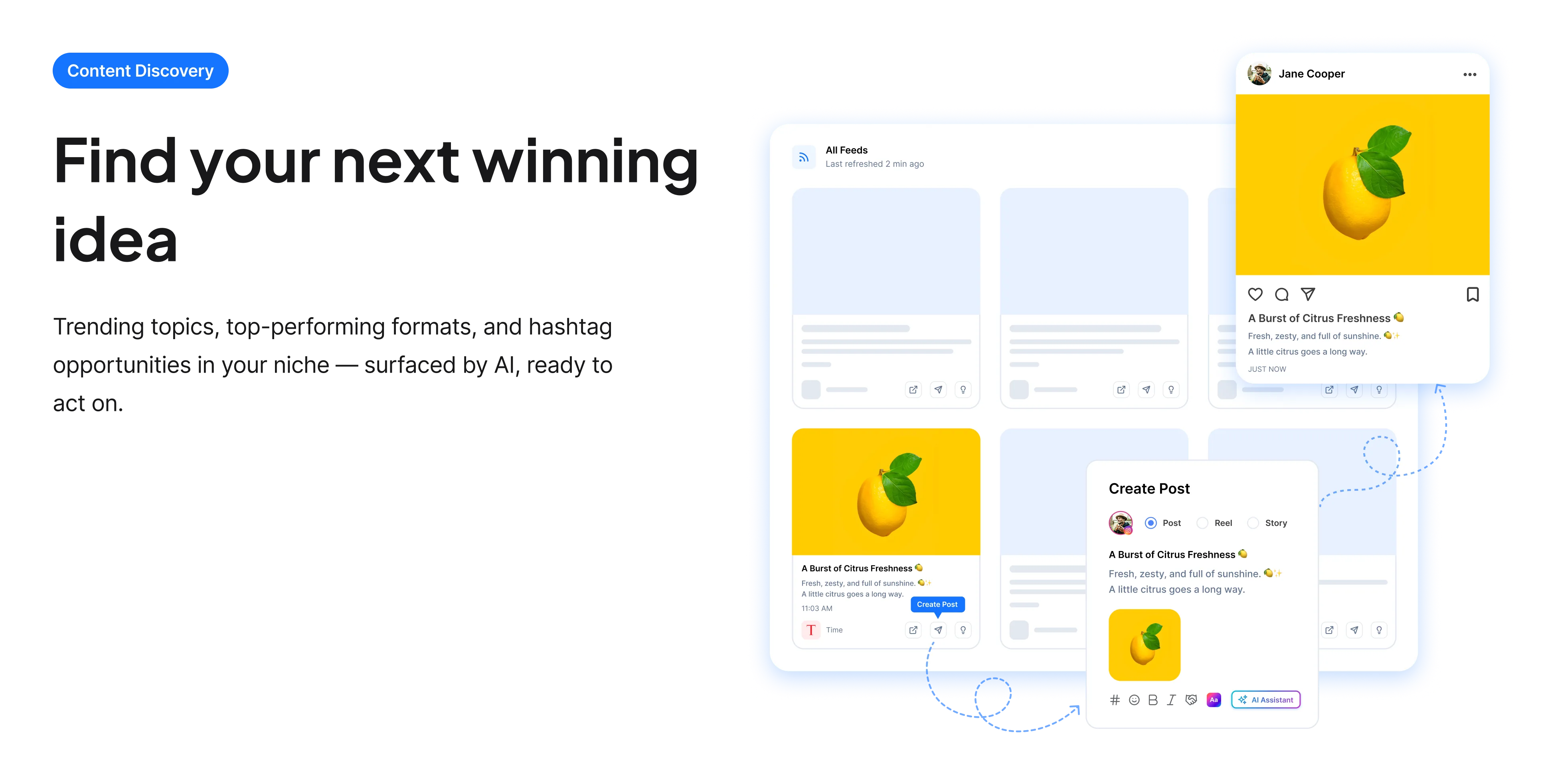
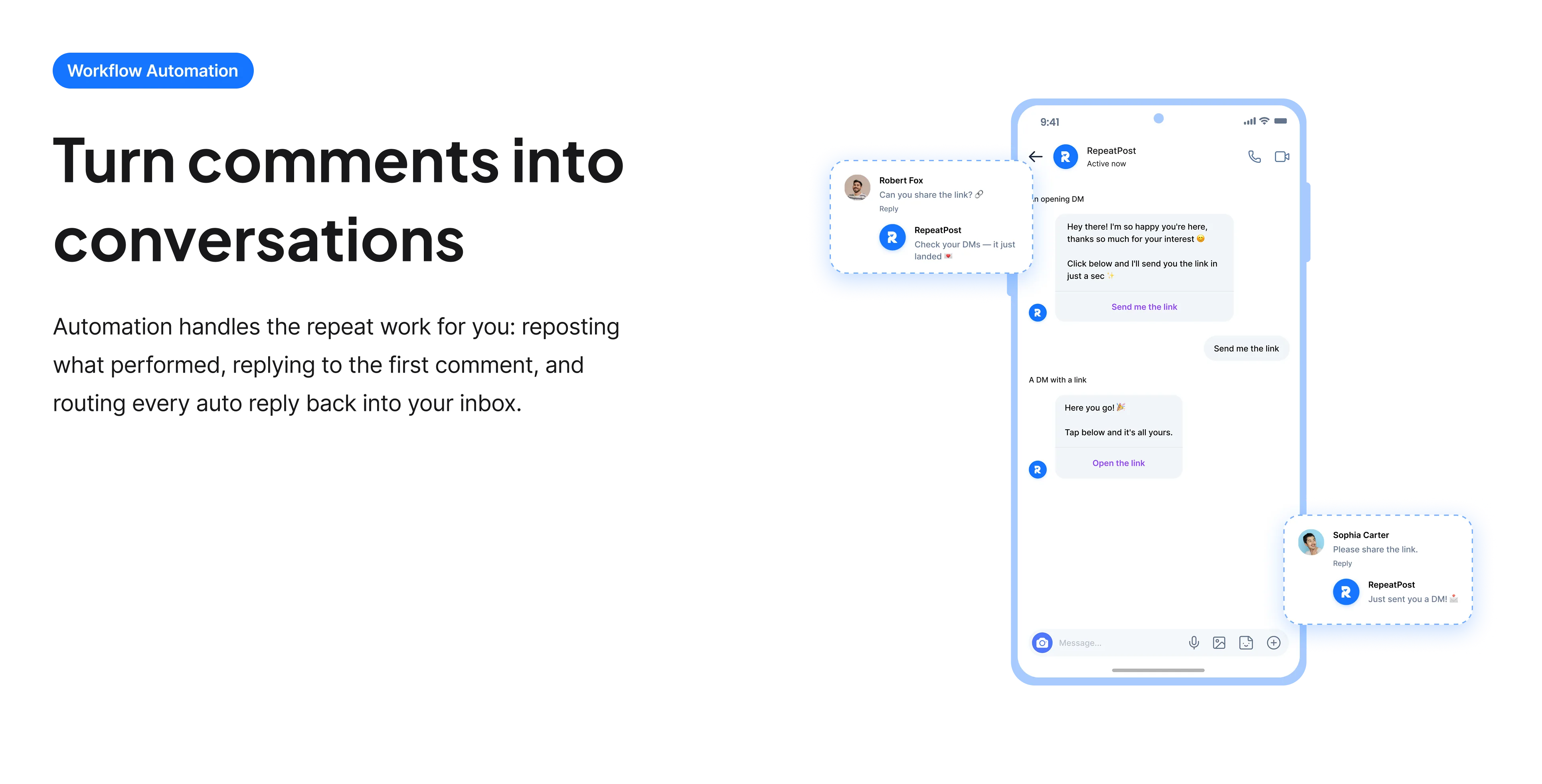
The free tools solve one task at a time. RepeatPost handles the whole loop: write the post, publish it everywhere, then see what landed.
Ready to get started?
The free tools are the warm up. RepeatPost plans, writes and publishes across every channel you post to.
Free plan to start
No credit card required
Cancel anytime
All about the X screenshot generator
What does this do that a screenshot does not?
It renders the post from its URL rather than capturing your screen, which removes every problem a manual screenshot introduces. There is no status bar, no navigation, no partially visible reply underneath, and no compose box. It exports at a consistent resolution instead of whatever your device happens to use, so text stays legible after a platform compresses the upload. And because it works from the link, a thread comes out as one continuous image instead of four separate captures you would otherwise have to stitch together.
How to get a clean result
Most of the quality comes from two decisions: which link you use and which theme you pick.
- Use the link to the first post if you want the whole thread. A link to the third post captures from there onward and drops the setup.
- Match the theme to where you are posting. A dark capture on a light feed reads as pasted in, and the reverse is worse.
- Add padding rather than exporting edge to edge, so the image has room to breathe in a feed.
- Check the text is still readable at the size it will actually be viewed, which on a phone is considerably smaller than your monitor.
- Screenshot promptly if the post might be deleted. This renders live content, so it cannot reach a post that is already gone.
Using post screenshots responsibly
Screenshots of posts travel further than the posts themselves, and that has consequences worth thinking about.
- Screenshot public accounts, not private ones. A protected account posted to an audience that could not otherwise see it is a genuine breach of their expectations.
- Do not crop away context that changes the meaning. Removing the post someone was replying to is the most common way a screenshot becomes misleading.
- Think before screenshotting an individual for criticism. A post seen by two hundred people can reach two hundred thousand, and that is a different situation for the person in it.
- Keep the link alongside the image where you can, so people can check the original rather than taking a picture at face value.
- Be aware that images are trivially editable and carry no authority. If something matters, the link is the evidence and the screenshot is only the illustration.
Who uses this tool
Mostly people moving content between platforms or into documents.
- Marketers turning positive customer posts into social proof for other channels, where a clean image looks far better than a phone capture.
- Newsletter writers embedding a post into an email, since the live embed frequently fails to render in email clients.
- Creators cross posting a good post from X to Instagram or LinkedIn, where the native embed does not exist.
- Journalists and researchers illustrating a story with a specific post, alongside rather than instead of the link.
- Anyone building a slide deck who needs a post to look presentable at projector size.
Screenshot generator specs
What it renders and where it stops.
| Detail | Value | Notes |
|---|---|---|
| Output format | PNG | Keeps text sharp after compression |
| Threads | Supported as one image | Use the first post link |
| Themes | Light and dark | Match the destination feed |
| Accepted links | x.com and twitter.com | Legacy URLs resolve |
| Protected accounts | Not supported | Renders public posts only |
| Deleted posts | Not supported | Content must still be live |
| Cost | Free | No account and no card |
| Storage | Nothing retained | Links are not logged |
Checked in September 2026. Rendering depends on the post still being publicly available, so a deleted or protected post cannot be captured after the fact.
When this is not the right tool
It cannot reach protected accounts or posts that have already been deleted, which is precisely when people most often want a screenshot. If a post might disappear, capture it while it is live rather than afterwards. A screenshot is also weak evidence, since images are easy to fabricate, so keep the URL wherever the claim matters. If you want the video from a post rather than a picture of it, use the X video downloader, and for turning your own words into an image the quote to image converter is the better fit.
How teams picture using RepeatPost
“Honestly, the calendar is what sold me. I could see every channel in one view and spot the week we'd gone quiet. Before this I was juggling three spreadsheets and a Slack thread. Now I plan the month on a Monday morning and I'm done by half ten.”
Hannah Whitfield
Marketing Manager
United KingdomJun 14, 2026“We run social for eleven clients and keeping them separate used to be a genuine anxiety of mine. Workspaces fixed that. Each client sits in their own space, approvals route to the right person, and I've stopped worrying that someone's going to push a dental practice promo to a restaurant account at 6am.”
Marcus Reed
Agency Owner
United StatesJun 29, 2026“I batch a fortnight of content on a Sunday arvo and then I don't think about it again. Reckon it's saved me a solid day a week. Only gripe is the mobile app still feels a step behind the web version, so I do the actual planning on my laptop. Everything else is spot on.”
Chloe Baxter
Content Creator
AustraliaJul 11, 2026“I'm handling social for four small brands and writing captions was eating my whole morning. The AI drafts are actually quite usable now. I still rewrite maybe every third one to sound like the client, but starting from something beats staring at a blank box. The hashtag tool alone I'm using daily.”
Ananya Raghavan
Freelance Social Media Manager
IndiaJul 30, 2026“I sell fabrics and my customers find me on Instagram mostly. Posting used to be whenever I remembered, which was maybe twice a week. Now I sit down every Sunday evening, load up two weeks, and it goes out on its own. Sales have followed. I'd like to see WhatsApp added properly, that's my one ask.”
Chidinma Eze
Small Business Owner
NigeriaAug 18, 2026“Our team is five people and we were losing posts in Slack threads. Someone would approve something, someone else would tweak it, and nobody knew which version went live. The approval flow sorted that in a week. Fair play, it's the least glamorous feature on the site and it's the one I'd miss most.”
Niamh Gallagher
Social Media Lead
IrelandSep 02, 2026FAQs
Frequently Asked
Questions
Paste the link to the first post in the thread and the tool renders the chain as one continuous image. Linking to a later post captures from there onward, which drops the setup and usually loses the point of the thread.
A phone capture includes your status bar, navigation, and often a partly visible reply below. It also exports at your device resolution, which frequently becomes unreadable after a platform compresses it. This renders only the post, at a consistent size.
No. The tool renders publicly available posts only, so protected accounts are out of reach. That is also the right outcome, since sharing a protected account’s posts to a wider audience breaks the expectation they posted under.
No. The tool renders live content from the URL, so once a post is gone there is nothing to fetch. If you think a post may be deleted, capture it while it is still up rather than hoping to retrieve it later.
Match wherever the image is going. A dark capture posted into a light feed reads as obviously pasted in, and a light capture in a dark presentation glares. It is a small choice that makes a noticeable difference.
For public posts it is normal practice, though a few things matter: do not crop away context that changes the meaning, keep the link available so people can verify it, and think carefully before amplifying an individual to a much larger audience for criticism.
Ready to grow on autopilot?
Create your free account and start managing 16+ channels with AI in minutes.
Get started for freeFree plan to start
No Credit Card Required
Cancel anytime